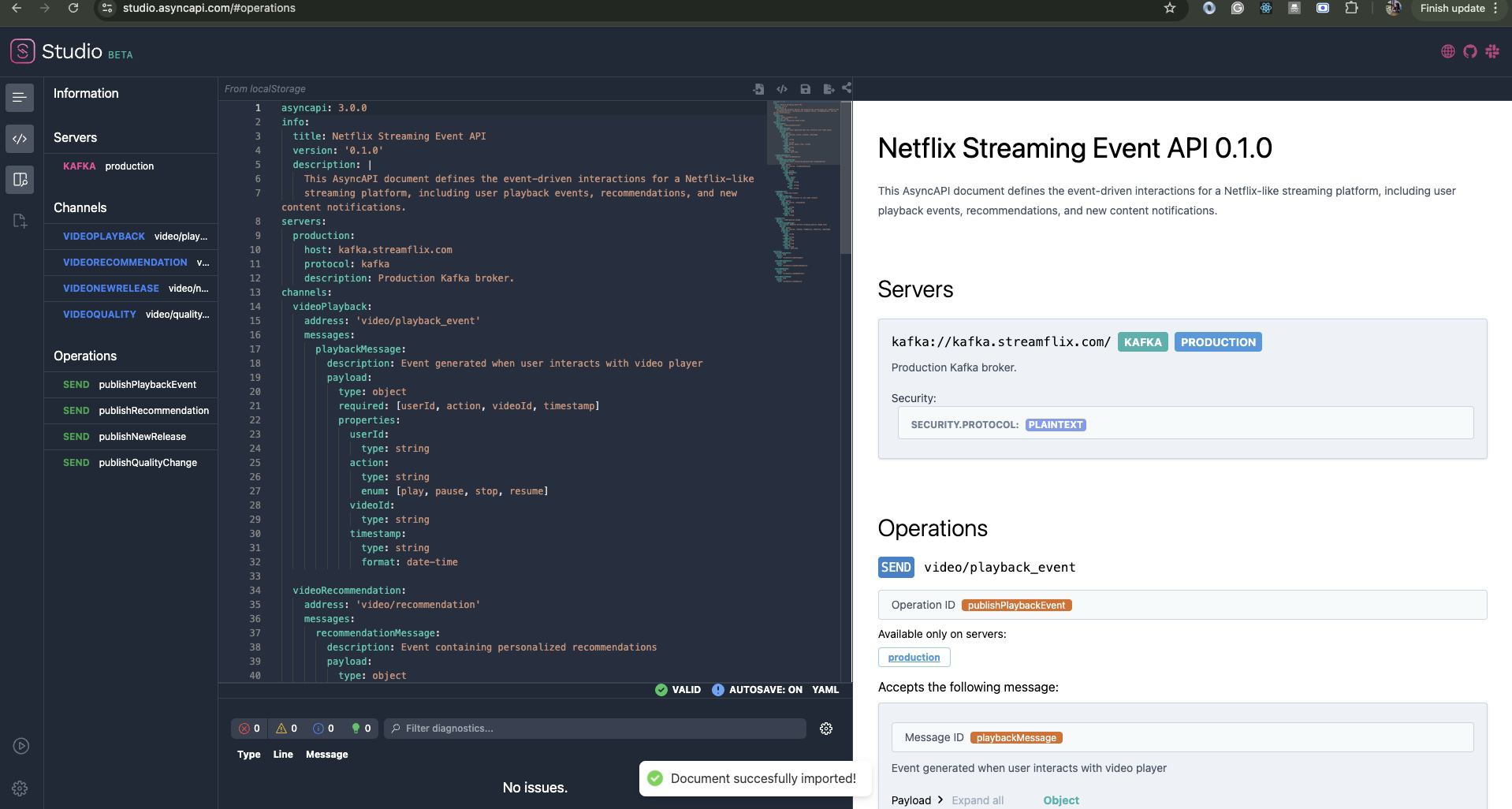
For years, the AsyncAPI VS Code Preview extension has been helping developers visualize and work with AsyncAPI documents directly inside VS Code. But there was always one limitation: you needed VS Code installed on your machine.
Not anymore! We've made the extension fully web-compatible, which means you can now open any GitHub repository in vscode.dev or github.dev and instantly preview AsyncAPI files right in your browser. No downloads, no local setup – just open and preview.
What Changed Under the Hood?
Making the extension web-compatible required some technical changes:
- Introduced lightweight browser utilities like
pathUtilsfor cross-platform file handling - Updated VS Code dependencies (
vscodeand@types/vscode) to ensure web extension compatibility - Removed Node.js-specific modules like
fs,path, and other dependencies that don't work in browsers - Removed EDAVisualizer integration since it's unmaintained and incompatible with web mode
Why This Is a Big Deal
This change removes a major friction point for AsyncAPI adoption. Think about it: how many times have you wanted to quickly check an AsyncAPI file in a GitHub repo but didn't want to go through the hassle of cloning it locally?
Now contributors can review specs directly on GitHub, teams working in cloud-first environments don't need local VS Code installations, and newcomers can experiment with AsyncAPI without any setup. It's especially useful for open-source maintainers who spend a lot of time reviewing specs in pull requests.
Demo
Watch the AsyncAPI VS Code Preview extension working seamlessly in your web browser. This demonstration shows how to install the extension in VS Code web, open an AsyncAPI document, and use the preview functionality to render beautiful documentation directly in the browser without needing a local VS Code installation.
Demo Overview: The video demonstrates opening a GitHub repository in vscode.dev, installing the AsyncAPI Preview extension, opening a sample AsyncAPI YAML file, and executing the preview command to generate interactive documentation in the web browser.
Accessibility Note: This video includes visual demonstrations of the AsyncAPI extension interface. For a text-based description of the steps shown, please refer to the "Try It Out" section below.
Looking Forward
This web compatibility opens up some interesting possibilities we hadn't considered before. Educators can now easily demonstrate AsyncAPI concepts without asking students to install anything. Open-source projects get more contributors because the barrier to reviewing and understanding specs is much lower. Remote teams can collaborate on AsyncAPI files without worrying about everyone having the same local setup.
Maintenance Mode
A quick note: this extension is now in maintenance mode. We'll keep it working and updated, but we're not planning major new features. That said, if you run into bugs or have ideas for improvements, community contributions are always welcome!
Try It Out
If you want to see this in action, head over to vscode.dev and open any repo with AsyncAPI files. Install the AsyncAPI Preview extension, open a .yaml or .json file, and run "AsyncAPI: Preview Document" from the Command Palette. You'll have beautiful rendered docs in seconds.
We'd love to hear how this works for you! Drop by the AsyncAPI community Slack and let us know if you find any issues or have suggestions for improvements.